For the complete documentation index, see llms.txt. Markdown versions of all docs pages are available by appending .md to any docs URL.
MCP authorization
Verified : Code examples on this page have been automatically tested and verified.Define authorization rules for MCP method invocations using CEL expressions.
Attaches to:
Note
Agentgateway supports more than one configuration style. Where a feature can also be configured in the simplified llm or mcp modes, the examples on this page show each option in tabs. For more information, see Routing-based configuration.
The MCP authorizationAuthorization (AuthZ)The process of determining what actions an authenticated user or service is allowed to perform. Agentgateway supports HTTP authorization, MCP authorization, and external authorization services. policy works similarly to HTTP authorization, but runs in the context of an MCP request.
Note
Instead of running against an HTTP request, MCP authorization policies run against specific MCP method invocations such as list_tools and call_tools.
If a tool or other resource is not allowed, the gateway automatically filters it from the list response, so unauthorized clients never see it.
You can attach mcpAuthorization at the route level or directly to an MCP backend. A backend-level policy applies to every MCP target in that backend. To vary the rules per target instead, keep one route-level policy and match on the mcp.tool.target variable, as shown in Different rules per target. For the other policies that you can scope to an individual target, see MCP target policies.
You can configure MCP authorization rules in the UI or in your configuration file.
The following steps add the same mcpAuthorization policy as the Simplified (MCP) example in the Config file tab.
Create a configuration with an MCP target, but no authorization policy. You add the policy in the UI.
# yaml-language-server: $schema=https://agentgateway.dev/schema/config
mcp:
  port: 3000
  targets:
  - name: everything
    stdio:
      cmd: npx
      args: ["@modelcontextprotocol/server-everything"]
Start agentgateway with this configuration.
Open http://localhost:15000/ui/mcp/policies (MCP > Policies), and click the MCP authorization tile.
Add each of the following rules. For each rule, click Add rule, keep the Allow effect, and replace the example expression in the editor.
mcp.tool.name == "echo"allows anyone to call theechotool.jwt.sub == "test-user" && mcp.tool.name == "add"allows onlytest-userto call theaddtool.mcp.tool.name == "printEnv" && jwt.nested.key == "value"allows users with the claimnested.key == valueto call theprintEnvtool.
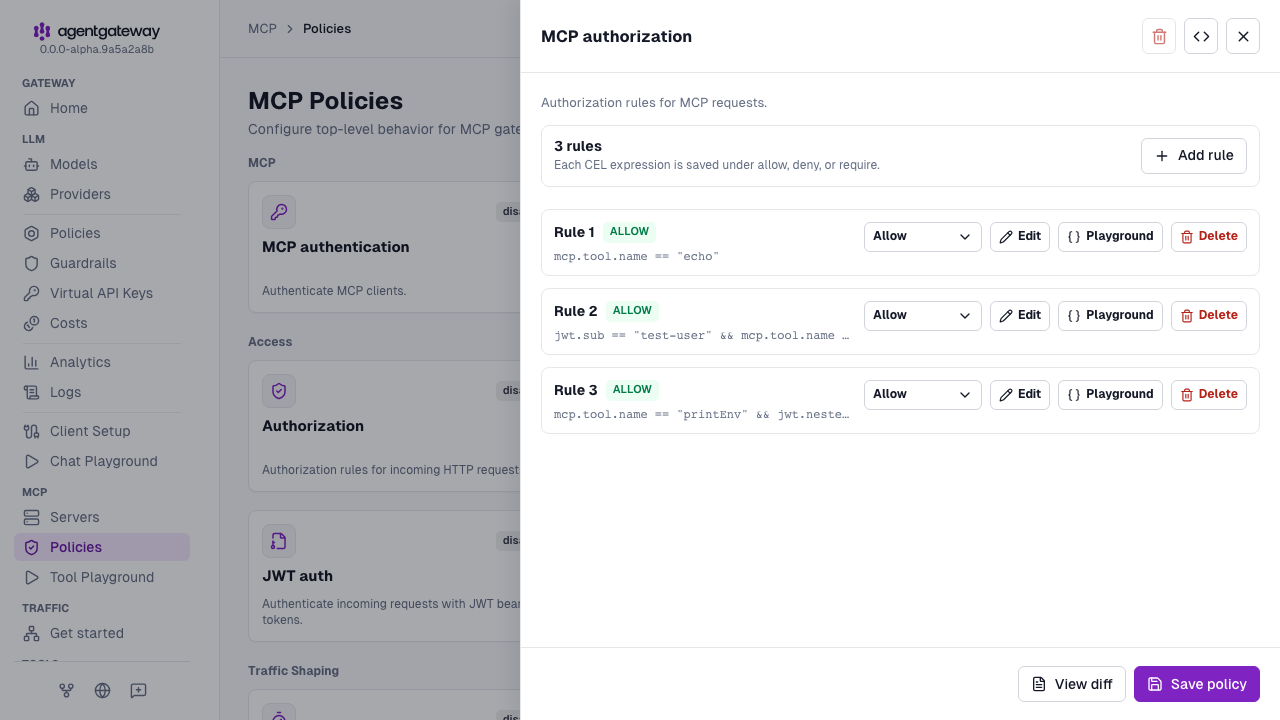
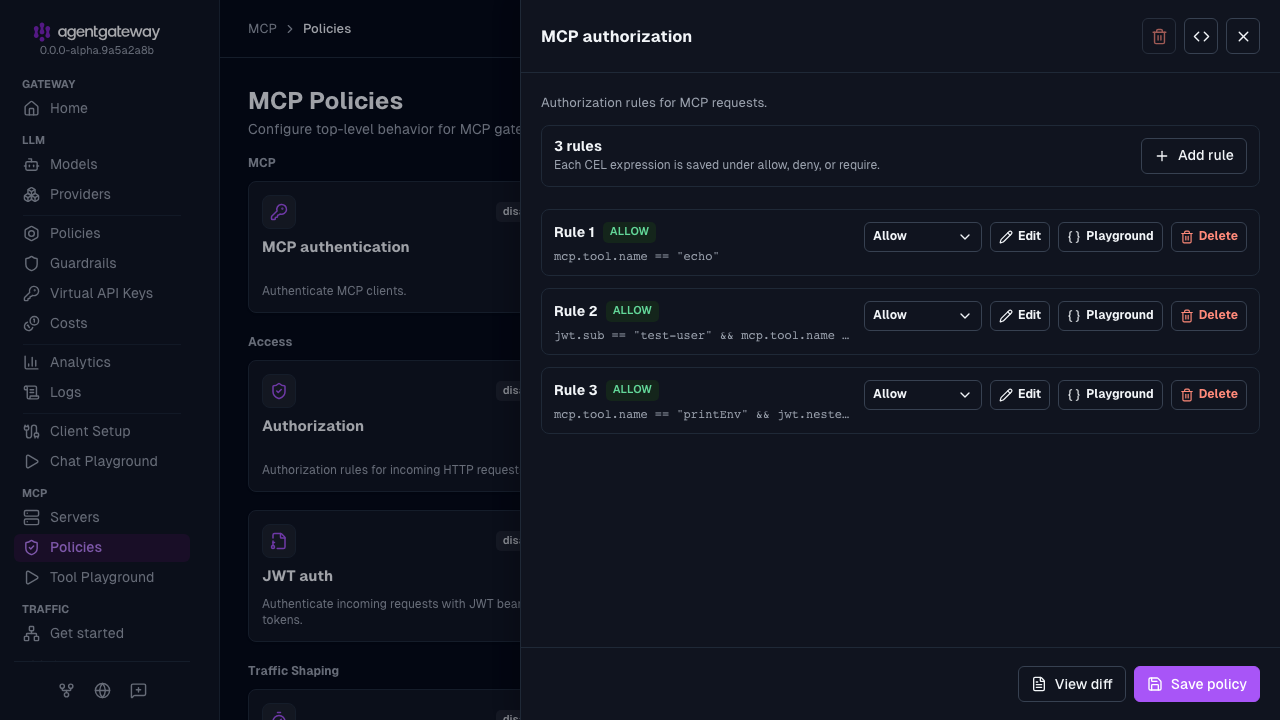
Click Save policy.
The UI saves each rule as an object with an allow key, such as - allow: mcp.tool.name == "echo", instead of the legacy string form in the Config file tab. Both forms behave the same.
You can also add an MCP authorization policy in the Route policies section of a route in Traffic > Routes. The Routing-based example uses an inline mcp backend, which the UI edits only as raw YAML. For that example, use the Config file tab.
Whether the UI can save depends on your storage mode. For more information, see Save changes from the UI.
Note
Try out CEL expressions in the built-in CEL playground in the agentgateway UI before using them in your configuration.
Role-based access with JWT claims
When you combine MCP authorization with MCP authentication, you can write rules that reference JWT claims. The following configuration restricts tools based on the authenticated user’s identity and role:
- The MCP authentication policy validates JWTs against a local authorization server, such as Keycloak, running on port 9000.
- Any authenticated user can call the
echotool. - Only the user
test-usercan call theaddtool. - Only users with the nested claim
nested.key == "value"can call theprintEnvtool.
- Start agentgateway with a configuration that has an MCP target, but no policies. You add the policies in the UI.
# yaml-language-server: $schema=https://agentgateway.dev/schema/config mcp: port: 3000 targets: - name: everything stdio: cmd: npx args: ["@modelcontextprotocol/server-everything"] - Open http://localhost:15000/ui/mcp/policies (MCP > Policies), and click the MCP authentication tile.
- In the Signing keys section, select Remote URL, and enter
http://localhost:9000/.well-known/jwks.jsonfor the JWKS URL. - Enter
http://localhost:9000for the Issuer. - In Audiences, enter
http://localhost:3000/mcp, and click Add. - In Resource metadata YAML, enter the following YAML.
resource: http://localhost:3000/mcp scopesSupported: - read:all bearerMethodsSupported: - header - Click Save policy. The authorization server must be running, because agentgateway fetches the JWKS when it loads the policy.
- In the Signing keys section, select Remote URL, and enter
- Click the MCP authorization tile, and add each of the following rules. For each rule, click Add rule, keep the Allow effect, and replace the example expression in the editor.
mcp.tool.name == "echo"jwt.sub == "test-user" && mcp.tool.name == "add"mcp.tool.name == "printEnv" && jwt.nested.key == "value"
- Click Save policy.
For more information about the authentication form, see MCP authentication.
Different rules per target
When you multiplex several MCP servers behind a single agentgateway listener, you can apply different authorization rules to each target by matching on the mcp.tool.target variable in a single policy. In the following configuration:
- Any user can access tools on the
public-toolstarget. - Only users with
adminin the JWTrolesclaim can access tools on theadmin-toolstarget. - The JWT is validated against a local authorization server running on port 9000.
Note
Per-target rules filter tools after each target responds. Agentgateway still initializes admin-tools and lists its tools for clients without the admin role. Add a target condition to exclude the target for those clients. See About MCP guardrails to compare the options.
# yaml-language-server: $schema=https://agentgateway.dev/schema/config
mcp:
  port: 3000
  policies:
    cors:
      allowOrigins: ["*"]
      allowHeaders:
      - mcp-protocol-version
      - content-type
      - cache-control
    mcpAuthentication:
      mode: optional
      issuer: http://localhost:9000
      audiences:
      - http://localhost:3000/mcp
      jwks:
        url: http://localhost:9000/.well-known/jwks.json
      resourceMetadata:
        resource: http://localhost:3000/mcp
        scopesSupported:
        - read:all
        bearerMethodsSupported:
        - header
    mcpAuthorization:
      rules:
      # Allow anyone to access tools on the public-tools target
      - 'mcp.tool.target == "public-tools"'
      # Only authenticated admins can access tools on the admin-tools target
      - 'mcp.tool.target == "admin-tools" && has(jwt.sub) && "admin" in jwt.roles'
  targets:
  - name: public-tools
    stdio:
      cmd: npx
      args: ["@modelcontextprotocol/server-everything"]
  - name: admin-tools
    stdio:
      cmd: npx
      args: ["@mycompany/admin-server"]
CEL variables
The following MCP-specific CEL variables are available in authorization rules:
| Variable | Type | Availability | Description |
|---|---|---|---|
mcp.tool.name | string | Request-time | The name of the tool being called. |
mcp.tool.target | string | Request-time | The target backend handling the tool call. |
mcp.tool.arguments | map | Post-request | The JSON arguments passed to the tool call (not set in mcpAuthorization rules). |
mcp.tool.result | any | Post-request | The tool call result payload (access logs only). |
mcp.tool.error | any | Post-request | The tool call error payload (access logs only). |
mcp.prompt.name | string | Request-time | The name of the prompt being accessed. |
mcp.resource.name | string | Request-time | The name of the resource being accessed. |
mcp.methodName | string | Request-time | The MCP JSON-RPC method name, such as tools/call or tools/list. |
mcp.sessionId | string | Post-request | The MCP session ID. |
Request-time variables are available during authorization and can be used in mcpAuthorization rules. Post-request variables are available in access log CEL expressions. Route-level HTTP policies, such as authorization and localRateLimit, can also read mcp.sessionId and mcp.tool.arguments when the request arrives. For more information, see the CEL variables reference.
When you also configure MCP authentication, claims from the validated JWT are available to your rules as well:
| Variable | Type | Availability | Description |
|---|---|---|---|
jwt.sub | string | Request-time | The sub (subject) claim from the JWT. |
jwt.<claim> | any | Request-time | Any top-level or nested JWT claim, such as jwt.roles or jwt.nested.key. |
has(jwt.<claim>) | bool | Request-time | Whether a JWT claim is present. |
Tool arguments are not available during authorization
mcp.tool.arguments isn’t set when mcpAuthorization rules run, so the rules can’t reference it. Base authorization decisions on mcp.tool.name and mcp.tool.target instead. To allow or deny a call based on its arguments, use a route-level authorization policy, which can read mcp.tool.arguments.
To inspect tool arguments, use an access log policy, which evaluates post-request:
frontendPolicies:
  accessLog:
    add:
      tool_args: 'mcp.tool.arguments'
See MCP observability for the full example, and the CEL reference for additional variables.