For the complete documentation index, see llms.txt. Markdown versions of all docs pages are available by appending .md to any docs URL.
Anthropic
Verified : Code examples on this page have been automatically tested and verified.Route agentgateway LLM traffic to Anthropic’s Claude models.
Configure Anthropic (Claude models) as an LLM provider in agentgateway.
Note
Anthropic excludes cached tokens from the input count that it reports. The CEL field llm.inputTokens adds them back, so telemetry, metrics, and token-based limits count a cache-heavy request higher than the number that Anthropic reports. To read the Anthropic number itself, use llm.providerInputTokens. For more information, see Token usage fields.
Configuration
For the common API key case, use the following config. Use the AWS SigV4 section later in the page only when you need Claude Platform on AWS or custom signing behavior.
You can add the model in the UI or in your configuration file.
To add the model in the UI, follow these steps. The steps create the same model as the Config file tab.
Set your API key in the
ANTHROPIC_API_KEYenvironment variable. The UI checks that the variable exists when you save the model.export ANTHROPIC_API_KEY='<your-api-key>'Create a configuration file with an empty
llmsection, and start agentgateway in the same terminal. Without anllmsection, the UI does not show the LLM > Models page.cat > config.yaml <<'EOF' # yaml-language-server: $schema=https://agentgateway.dev/schema/config llm: models: [] EOF agentgateway -f config.yamlOpen LLM > Models, such as http://localhost:15000/ui/llm/models, and click Add model.
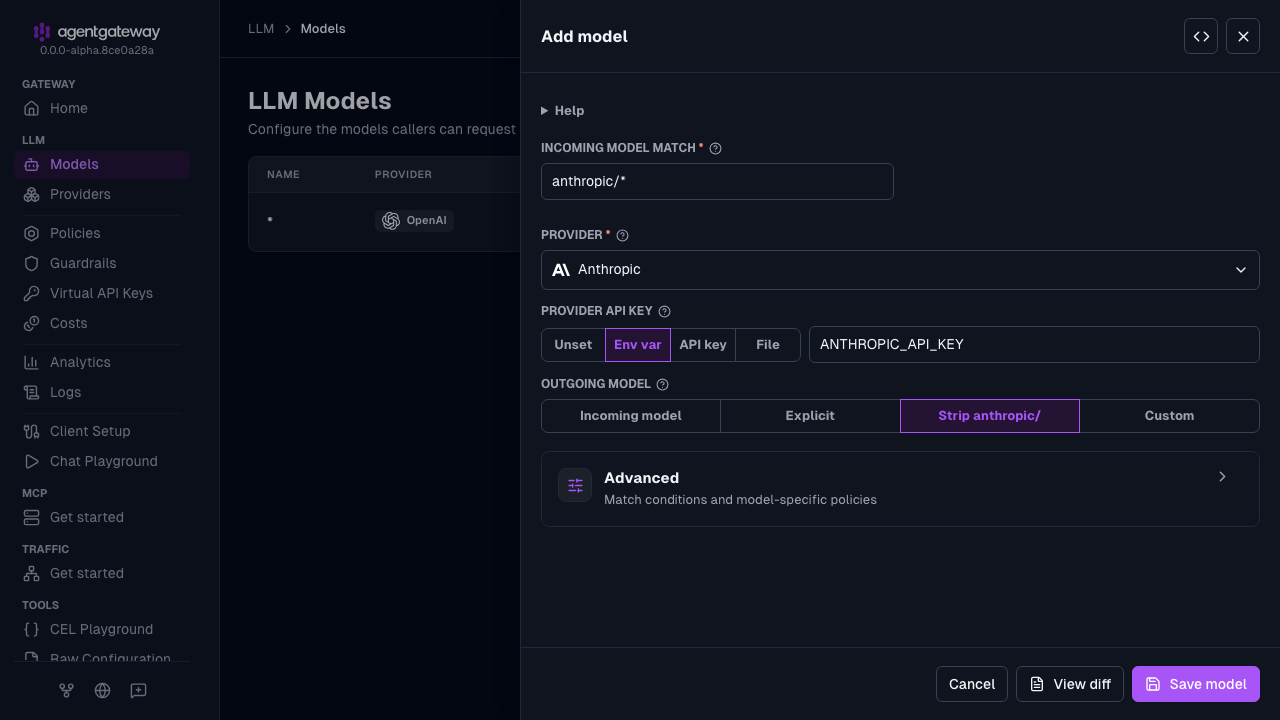
From the Provider dropdown, select Anthropic.
Keep the default
anthropic/*in the Incoming model match field.For the Provider API key, select Env var, and enter
ANTHROPIC_API_KEY.For Outgoing model, keep Strip anthropic/. This option removes the
anthropic/prefix before the request is forwarded. To send every request to one model instead, select Explicit, and enter the model name. This option setsparams.model.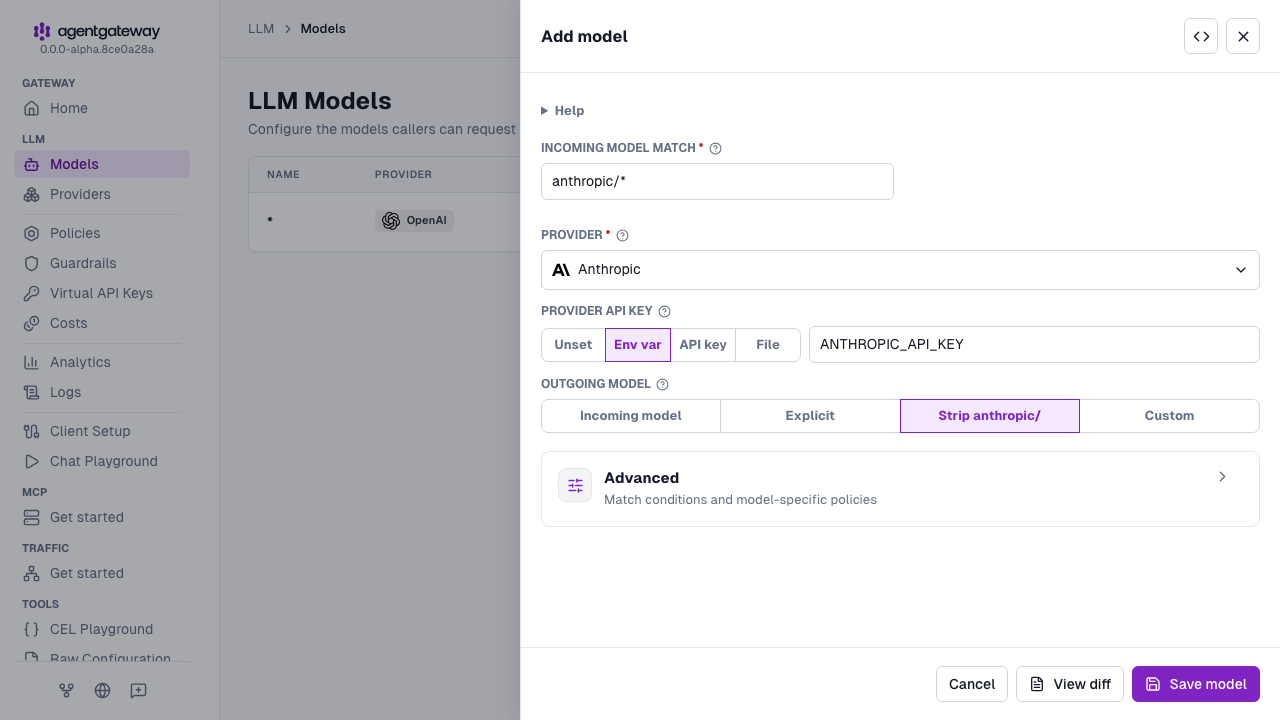
Click Save model.
Whether the UI can save depends on your storage mode. For more information, see Save changes from the UI.
Example request
After you run agentgateway with the configuration from the previous section, send a request to the v1/messages endpoint. The forwarded request includes the x-api-key authorization header. If the client sends no anthropic-version header, the request uses the default 2023-06-01 version. If the client sends its own anthropic-version header, that value is forwarded to Anthropic. The Anthropic API returns the response to the client.
curl -X POST http://localhost:4000/v1/messages \
  -H "Content-Type: application/json" \
  -d '{
    "model": "anthropic/claude-opus-4-6",
    "max_tokens": 100,
    "messages": [{"role": "user", "content": "Hello!"}]
  }'
Example response:
{
  "model": "claude-opus-4-6",
  "usage": {
    "input_tokens": 9,
    "output_tokens": 21,
    "cache_creation_input_tokens": 0,
    "cache_read_input_tokens": 0,
    "cache_creation": {
      "ephemeral_5m_input_tokens": 0,
      "ephemeral_1h_input_tokens": 0
    },
    "service_tier": "standard"
  },
  "content": [
    {
      "text": "Hi there! How are you doing today? Is there anything I can help you with?",
      "type": "text"
    }
  ],
  "id": "msg_01QdUEuzvXfjLh1HfMQd4UHP",
  "type": "message",
  "role": "assistant",
  "stop_reason": "end_turn",
  "stop_sequence": null
}
Send inline files through Chat Completions
In a /v1/chat/completions request to Anthropic, agentgateway converts an inline file content part to an Anthropic document block. For the required file.file_data format and the file parts that the conversion rejects, see File parts on a converted route.
Token counting
Use Anthropic’s count_tokens API to estimate token usage before you make a request. If the client sends an anthropic-version header, the request uses that value. If the client sends no version header, the request uses the default 2023-06-01 version. The request is formatted for Anthropic’s API.
curl -X POST http://localhost:4000/v1/messages/count_tokens \
  -H "Content-Type: application/json" \
  -d '{
    "model": "anthropic/claude-opus-4-6",
    "messages": [{"role": "user", "content": "Hello!"}],
    "system": "You are a helpful assistant."
  }'
Example response:
{
  "input_tokens": 15
}
Extended thinking and reasoning
Extended thinking and reasoning lets Claude reason through complex problems before generating a response. You can opt in to extended thinking and reasoning by adding specific parameters to your request.
Note
Extended thinking and reasoning requires a Claude model that supports these, such as claude-opus-4-6.
This section describes a route that reaches the Anthropic Messages API directly. When a Chat Completions client reaches Anthropic, the request is converted to the Messages format, and thinking history is carried across turns only when the client sends back reasoning_signature. For details, see Reasoning carryover on a converted route.
To opt in to extended thinking, include the thinking.type field in your request. You can also set the output_config.effort field to control how much reasoning the model applies.
The following values are supported:
thinking field
type value | Additional fields | Behavior |
|---|---|---|
adaptive | output_config.effort | The model decides whether to think and how much. Requires output_config.effort to be set. |
enabled | budget_tokens: <number> | Explicitly enables thinking with a fixed token budget. Works standalone without output_config. |
disabled | none | Explicitly disables thinking. |
output_config field
output_config has two independent sub-fields. You can use either or both.
| Sub-field | Description |
|---|---|
effort | Controls the reasoning effort level. Accepted values: low, medium, high, max. |
format | Constrains the response to a JSON schema. Set type to json_schema and provide a schema object. For more information, see Structured outputs. |
The following example request uses adaptive extended thinking. Note that this setting requires the output_config.effort field to be set too.
curl "localhost:4000/v1/messages" -H content-type:application/json -d '{
  "model": "anthropic/claude-opus-4-6",
  "max_tokens": 1024,
  "thinking": {
    "type": "adaptive"
  },
  "output_config": {
    "effort": "high"
  },
  "messages": [
    {
      "role": "user",
      "content": "Explain the trade-offs between consistency and availability in distributed systems."
    }
  ]
}' | jq
Example output:
{
  "id": "msg_01HVEzWf4NJrsKyVeEUDnHNW",
  "type": "message",
  "role": "assistant",
  "model": "claude-opus-4-6",
  "content": [
    {
      "type": "thinking",
      "thinking": "Let me think through the trade-offs between consistency and availability..."
    },
    {
      "type": "text",
      "text": "# Consistency vs. Availability in Distributed Systems\n\n..."
    }
  ],
  "stop_reason": "end_turn",
  "stop_sequence": null,
  "usage": {
    "input_tokens": 21,
    "output_tokens": 1024
  }
}
Structured outputs
Structured outputs constrain the model to respond with a specific JSON schema. You must provide the schema definition in your request.
Provide the JSON schema definition in the output_config.format field.
curl "localhost:4000/v1/messages" -H content-type:application/json -d '{
  "model": "anthropic/claude-opus-4-6",
  "max_tokens": 256,
  "output_config": {
    "format": {
      "type": "json_schema",
      "schema": {
        "type": "object",
        "properties": {
          "answer": { "type": "string" },
          "confidence": { "type": "number" }
        },
        "required": ["answer", "confidence"],
        "additionalProperties": false
      }
    }
  },
  "messages": [
    {
      "role": "user",
      "content": "Is the sky blue? Respond with your answer and a confidence score between 0 and 1."
    }
  ]
}' | jq
Example output:
{
  "id": "msg_01PsCxtLN1vftAKZgvWXhCan",
  "type": "message",
  "role": "assistant",
  "model": "claude-opus-4-6",
  "content": [
    {
      "type": "text",
      "text": "{\"answer\":\"Yes, the sky is blue during clear daytime conditions.\",\"confidence\":0.98}"
    }
  ],
  "stop_reason": "end_turn",
  "stop_sequence": null,
  "usage": {
    "input_tokens": 29,
    "output_tokens": 28
  }
}
Use Claude Platform on AWS
Claude Platform on AWS hosts Anthropic’s native Messages API on AWS infrastructure at aws-external-anthropic.{region}.api.aws. Because the API is the same Anthropic Messages API, you point the anthropic provider at the AWS endpoint and choose either API-key or AWS SigV4 authentication.
Store your Claude Platform on AWS API key in an environment variable or file and reference it from the provider configuration. Override the upstream host to point at the Claude Platform endpoint.
# yaml-language-server: $schema=https://agentgateway.dev/schema/config

llm:
  models:
  - name: "*"
    provider: anthropic
    requestHeaders:
      set:
        # Replace with your workspace ID
        anthropic-workspace-id: wrkspc_XXXXX
    params:
      apiKey: $ANTHROPIC_AWS_API_KEY
      # Replace with your region
baseUrl: https://aws-external-anthropic.us-west-2.api.aws/v1| Setting | Description |
|---|---|
requestHeaders.set.anthropic-workspace-id | The Anthropic workspace ID that scopes the request. Replace wrkspc_XXXXX with your workspace ID. |
params.baseUrl | Full Claude Platform URL, including the scheme and /v1: https://aws-external-anthropic.{region}.api.aws/v1. |
params.apiKey | API key. |
Use Claude on Azure AI Foundry
To use Claude models through Azure AI Foundry, configure the azure provider with azureResourceType: foundry and a Claude model name. Agentgateway automatically routes requests to the Anthropic-native endpoint and injects the required headers — no additional configuration is needed.
For setup instructions, see Use Claude models on Azure AI Foundry.
Connect to Claude Code
To route Claude Code CLI traffic through agentgateway, see the Claude Code integration guide.